Tampilkan postingan dengan label teaching. Tampilkan semua postingan
, , , , , , , , , , , ,

Project Based Learning (PBL): How Do I Know if I'm Doing it Right?!?

This video seeks to answer the #1 question I get about Project Based Learning, and that is, "Am I Doing This Right?!?" The question speaks to the integrity of my favorite people, educators, and their desire to do the best they can by the students they teach. I hope this video helps you know where to focus your energy when you are trying to shift your teaching practices.

Special (and HUGE) thanks to my colleague Kristy Edgar for the amazing animations, graphics, and visuals for this video. She made a simple soundtrack come alive and be entertaining.


Share:
Read More
, ,

A Reminder for Teachers of Students from Poverty

I saw this post on Facebook shared by a friend via a private Instagram account. I don't know the person who originally created it. I re-typed it using Canva and added the tiny pencil, which I remembered students using literally to this size. If you are the original creator of this, please let me know so I can link to your resources.

Share:
Read More
, , , , ,

Teachers Who Understand Learning...

Teachers who understand learning intentionally plan for student engagement. They realize it's not something that happens without work, but neither is learning.

Share:
Read More
, , , ,

Teachers: Get Ready to "Market" Content to Gen Z Students

Teachers all know that if you want a topic of study to really be successful, you've to got to SELL IT. I think at least part of my success as a teacher came from my ability to make students see they were learning things that were sort of secret and special. I know one of my former principals told me I was a "cult leader." I believe what he meant to say was "excellent at marketing content." Right?

So this graphic shared indirectly with my by my colleague David Gresham really spoke to me. If I were working with Gen Z, I would get some new tricks up my sleeve using this material. (For example, what would Romeo have Snap-chatted to Juliet? What was her first Instagram post? And the caption? Hashtags?)

Thanks to Marketo for licensing this fascinating graphic with Creative Commons attribution so that I can freely share it with you. 

Generation Z Marketings Next Big Audience
Brought to you by Marketing Automation Software by Marketo
Share:
Read More
, , , ,

Hope is a Stronger Predictor of Success than Scores #TeachingMatters


Thanks to my teacher Eddie Coulson @EKCoulson for this fact and so many more!
Share:
Read More
, , , , , , , , , ,

The Great Teacher Jeans Debate

This is not going to be popular.

Administrators are going to contact me in protest.

My own husband might not approve of this post.

But I'm going to say it anyway: stop the teacher dress code war. If a teacher wants to wear jeans to work, make it okay in your policies. Don't force her to "earn it" as a "prize" or wear a "spirit shirt."

If a teacher can't earn the respect of parents, students, and community, it's not because of her wardrobe.

Also, khakis can look just as sloppy as jeans, so stop saying it's about jeans.

Also, why is polyester the only acceptable administrative fabric?

Teachers, I dare you, give out "poly passes" to the admins in your life. If they do a good job, let them wear their polyester pants on Fridays . . . but only if they wear a spirit shirt.


Share:
Read More
, , , , , , , ,

The Killer App You've Been Waiting For IS HERE


Share:
Read More
, , , , , , ,

If it's Not Effective, Change It . . .


Share:
Read More
, , , , , , , , , , , , , ,

What IS Google Classroom?

If you've been wondering what Google Classroom is (or is NOT), this video from moi is for you! Should you get ready for implementation? Can you replace your current system with Classroom? This video will help you answer those burning questions. Then, join the discussion below this post on Google+ to share how your school is using Classroom to improve instruction.

Also, don’t forget to install the free Synergyse training for Classroom by visiting https://www.synergyse.com/ and clicking the large green Install button!


Share:
Read More
, , , , , , , , , ,

Create FREE Animated Gifs using Snagit and your Chrome Browser

Animated Gifs have returned to the scene as a GREAT teaching tool. You can email them, post them on a website or on social media, add them to a document or slideshow, but any way you put them, they're a powerful, succinct way to get across the steps of a technology process. Easy, fun, and FREE! Thanks TechSmith for the great addition to the Chrome browser!

Install the App here and you also need the extension, available here.

Video here if you don't see it below.


Share:
Read More
, , , , , , , , , , ,

3 Minute Tech Tip: Automatically Label Incoming Email with a Filter + a Label


This week's tip comes from a colleague who wanted a way to automatically label email messages based on certain criterion. This technique will DEFINITELY help you keep your inbox organized as well as draw your attention to important topics. Hope you enjoy it! If you do, please hit the thumbs up button you YouTube or share the video with others via your social networks or email.


If you'd like to submit an idea for a tip, please shoot me an email via the contact button on the top right of the blog.

Credits, and because I am asked all the time: Screencast software from Techsmith, Camtasia for Mac does both the cool features you see in this video: the magnifying glass and the picture in picture. I love it. Thanks Techsmith!

Share:
Read More
, , , , , , , , , , , ,

Three Minute Tech Tip: Google Chrome Extension TabCloud

TabCloud is my FAVORITE Google Chrome Extension. It allows me to upload a set of tabs then open them on a different computer, at a different time, or just after restarting my computer. INDISPENSABLE! If you enjoy it, please share this post or like and share the YouTube video. 


Share:
Read More
, , , , , , , ,

Getting Ready for the Texas Google Summit

The Techs4Tex team spent a fast-paced and exciting day today in Brenham, TX preparing for the upcoming Texas Google Summit coming up May 17, 2104.

We began by laying out the schedule (about 20 concurrent sessions).

Below is Brenham ISD Tech Director Kim Strauss breaking rules by drawing on the table with a dry erase marker, which amazed us all . . .


Also pictured Shepherd ISD's Tech Diva Pam Cadwalder, Brenham ISD Instructional Technology Specialist Troy Kuhn, Coldspring-Oakhurst Consolidated ISD's awesome ELA specialist Laura Kile. There were also a bunch of other awesome people present, just so you know.

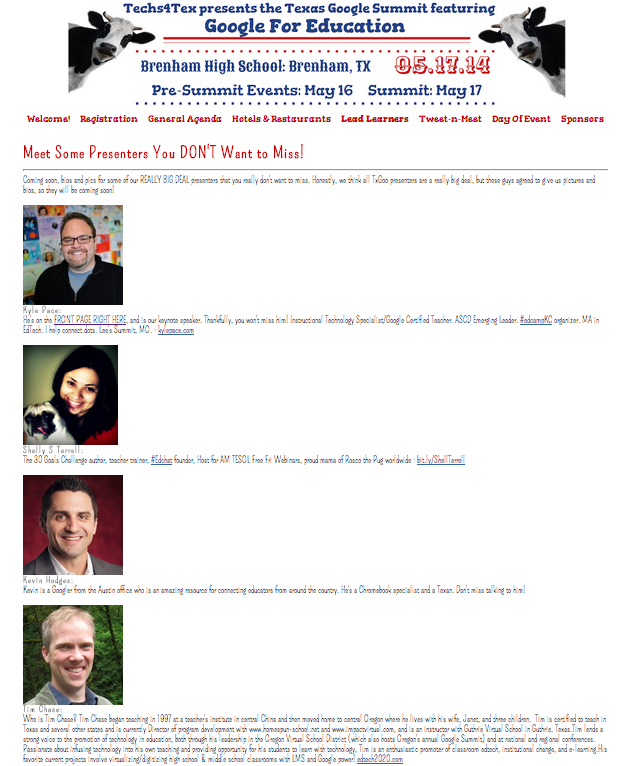
We emailed with our keynote speaker Kyle Pace (so excited to have him visit us in TX), and more of our big stars including Shelly Terrell and Tim Chase. We also added a few of these guys who are kind of a big deal to our Lead Learners page, but there are so many amazing presenters sharing their knowledge it was hard to know where to stop.

One of the sessions I'm most excited about is going to be provided by teacher extraordinaire Linda Yollis and her 3rd grade students, literally world famous for their classroom blog.

Also, did you know that TCEA Teacher of the year and White House Champion of Change Tech Ninja Todd Nesloney is going to be presenting? That's right. You sure don't want to miss his and fellow Tech Ninja Stacey Huffine's sessions!


At the end of the day, we visited the beautiful Brenham High School. Check out the amazing auditorium . . .


We're so excited for you to be our guests at this event. We want you to have a great time, to learn a ton, and to feel welcome in the spaces we are working to create for you. We sure hope to see you there!

If you haven't yet heard our spokescow Cher sing, you better check out the video below before you go. 
Share:
Read More
, , , , , , , , , , , , , ,

4 Other Essential Elements of Project Based Learning

Today I met with a great group of teachers embarking on implementing project based learning together. I shared this seminal article with them and we discussed their ideas. But AFTER I left their meeting, what I REALLY wanted to say hit me.


As you plan your projects, consider at least one element of project design that will get (and keep) kids interested BEYOND the 8 essentials . . .


1. Serve others in need with your project.
  • Example: Students build a grocery store via donations to fuel the local food bank. In the process, they learn about pricing, inventory control, spreadsheets, and supply and demand.
  • High school students create books about science concepts for elementary school students from poverty with no books in their homes. Each child gets a book.
2. Serve other students by teaching them something they need to know.
  • Example: Everyone is reading this novel in English, but my team is responsible for teaching everyone about theme in this work of literature. If we do a bad job, no one will learn about theme. We’ll provide a tutorial, examples, and activities to teach everyone else in our class what theme is and how it works in this novel. Other classes who are also reading the book can learn from our work because it will be published online.
  • Secondary students teach elementary students ___ through screencasts. (Fractions? Narrative Structure? Could be anything---maybe the winning team (see #3) gets to travel to meet the elementary school learners at the end of the project.)
3. Be a competitor.
  • Each member of my class is on a team, and each of our teams are working on a project. The winning team gets to . . . (go visit another school with our cooperative counterparts as ambassadors, eat dinner at a restaurant with the teacher to celebrate, etc.)
4. Publish online (and get someone to see it).
  • Create a blog on which to publish your classes digital endeavors, post pictures of paper masterpieces, etc. Then get friends, family, (whatever it takes) to comment on them from time to time. It’s very motivating for your work to be seen outside your school and sometimes even outside your country. Find a cooperating teacher and get her students to comment on your students’ work, then return the favor.
  • Two of my favorite local teachers have created classroom Instagram accounts where their students’ work is published. Students, parents, teachers, etc. can favorite students’ work online. Teachers can use the accounts to provide directions for activities (like foldables). Thanks for the idea Brooke Lowery and Bridget Costello!

Share:
Read More
, , , , , , ,

If Teachers Planned Inservice: Another Perspective

If you're in education, I'm sure you've seen the posts called something like "If Teachers Planned Inservice." The implication is that inservice is always boring (which it often is) and that if teachers did it, it would be either 1. nonexistent or 2. less boring. As a person who plans inservice as part of my job, I hope that what I have planned for you is 1. not boring and 2. useful to you. In fact, that's my number one and number two hope for every session I provide.

My question for you though is this: If you are a teacher, you provide a form of "inservice" every day in your classroom. Do you have the same standards for your teaching as you have for mine? I teach you only a few days a year; you teach your students about 185 days a year. How do you maintain the level of interest and relevancy that you expect from me? I'll grant you that's incredibly difficult, but it is worth pondering.


What I want you to know is that I (and many, many others) worked really hard to provide the inservice we will offer to you in the next two weeks. I will be offering sessions during back to school events in three districts and traveling about 800 miles. I'll sleep in hotel rooms some of those nights so that I can be there up to 2 hours before you. I'll stay up late many nights before that planning and tweaking to make sure there is something new that's just for you. I'll do my best to make sure you always have access to a technology device so that you can participate constantly but not so you can check Facebook.

So, I have something to ask you. If I do all this for you, will you do a few things for me?

1. Come to my session with an open mind and a positive attitude.
2. When I ask you a question, nod your head or verbally answer.
3. Make eye contact with me.
4. Don't sit in the back so you can catch up with your friend during my session.
5. Give me a chance to be a resource to help you be more relevant to your students.
6. Judge the inservice I provide by the standards you want used to judge you in your classroom.
7. Volunteer to help plan and provide inservice so that we can make it the best it can be together. (Thank you to my volunteer helper for next week!)
8. Don't knit or crochet during inservice. (Yes, that really happened.)

The truth is, I don't think we'll have ANY problems with ANY of the above next week because you seem to like the inservice I provide. I'm so glad you do! I love providing it for you and I'm honored to work for your district. You are always kind and welcoming to me, and I know you wouldn't really rather have a root canal than attend one of my sessions. BUT, I need you too. Look at me, talk to me, answer my questions, and tell me when you don't understand. Thanks you guys! I'm looking forward to seeing you next week!


Share:
Read More
, , , , ,

You are WINNING

I heard a story recently about an Instructional Technology Specialist who observed a great lesson in a teacher's room. The ITS said to the teacher, "Wow! That was wonderful! I'm so impressed!" and the teacher replied, "I know, but don't tell anyone or they'll all want to steal my lesson, then everyone will be doing it." The ITS person walked away in disbelief. In our field, "everyone is doing it" when "it" is a great lesson is our #1 goal. How could anyone have so completely missed the point? Sharing, being copied, or whatever you want to call it is WINNING in education! Be a winner today; share something.


(Be sure to display image via email to see the graphic above, which is adorable and totally worth the one click.)
Share:
Read More